
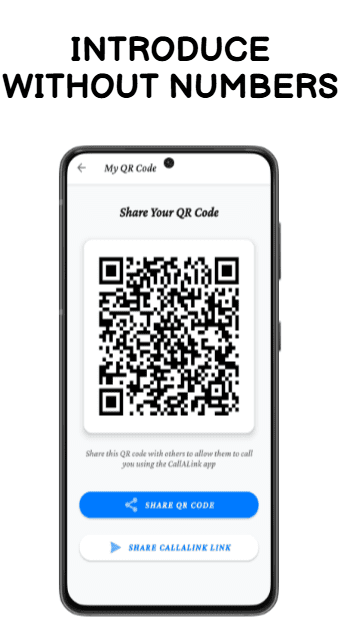
Every professional has the same problem. You need to stay reachable. But how to receive calls without sharing your phone number – while keeping your privacy intact – has never had a clean answer. Until now.
If you want to receive calls without sharing your phone number, you are not alone – professionals everywhere are making the switch to private call links.
Think about your email signature for a moment. It probably has your mobile number sitting at the bottom of every email you send. Every forward, every CC, every cold reply – your number travels with it. Into inboxes, CRM systems, contact lists, and databases you never approved. You have been quietly giving strangers permanent access to your personal mobile line.
There is a better way to receive calls without sharing your phone number – and it takes minutes to set up. A growing number of professionals are finding out how to hide their phone number from clients entirely – while remaining fully reachable. The key is a private call link: a unique URL that lets anyone call you on your real mobile phone, without the caller ever seeing your number.
This guide explains exactly how it works, why professionals are making the switch, and how you can set it up in minutes using CallALink.
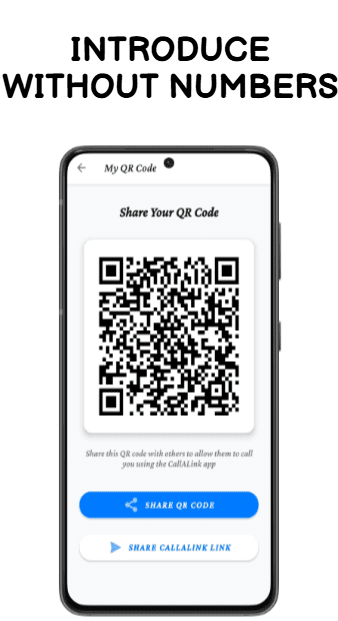
Why Sharing Your Phone Number Is a Bigger Problem Than You Think
Your phone number is not just a contact detail. It is an identity anchor. Once someone has it, they can:
- Find your WhatsApp, Truecaller, and Instagram profiles instantly
- Contact you on any platform – even after you’ve stopped responding
- Pass it to colleagues, add it to CRMs, and forward it through email chains
- Use it for spam, unsolicited sales calls, or fraud attempts
According to studies by the Telecom Regulatory Authority of India (TRAI), spam call complaints have increased by over 40% in the last two years.
Unlike an email address, a phone number cannot simply be replaced. Changing your number means updating every contact, every account, every platform. The disruption is enormous. That is why the smarter move is to never over-share it in the first place.
The most common way professionals unknowingly expose their number: the email signature. Every email you send distributes it. Every forward amplifies it. CallaLink replaces that number with a private call link – giving you full control from the very first email.
What Is a Private Call Link – And How Does It Work?
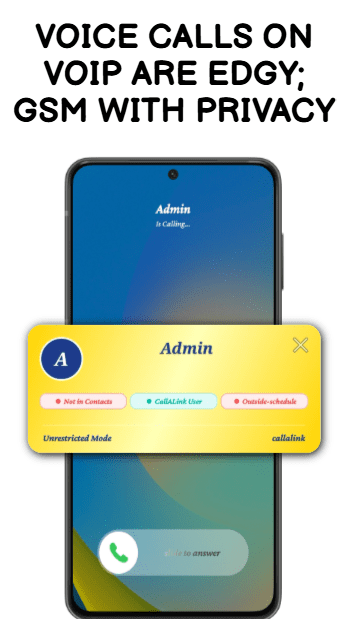
A private call link is a unique URL connected to your identity – not your phone number. You share this link instead of your number. When someone clicks it, they can call you directly on your real mobile phone. The call connects through a standard GSM line – not internet VOIP – so call quality is identical to any normal mobile call.
The critical difference: your real number is never shown to the caller, never stored in their phone, and never part of the exchange. The link is your call address. Your number is invisible infrastructure.
CallaLink is built specifically around this principle. Here is the full workflow.
The CallALink Workflow: From Email to Private GSM Call
Workflow 1 – Receive Calls Without Sharing Your Phone Number via Email
STEP 1: Create a call link named after your email identity
Open CallaLink and generate a link using your name or email – for example, callalink.com/yourname. This becomes your permanent call address that you share everywhere instead of your number.
STEP 2: Publish the link via email or any channel
Replace your phone number in your email signature with your CallaLink link. Send a one-time message to your existing contacts: “This is now the best way to reach me.” Done.
STEP 3: Calls arrive on your real mobile via GSM – your number stays hidden
When a contact clicks your link and calls, it connects to your actual phone as a normal GSM call. You answer like any call. The caller never sees your mobile number – during or after the call. This is how you receive calls without sharing your phone number with anyone – ever.
Workflow 2 – Screen and Approve Callers Before Any Call Connects
Receiving calls privately is just the foundation. CallaLink adds a second, more powerful layer: no one reaches you without your explicit approval first.
STEP 1: Every caller must submit a request first
When someone clicks your link, they do not connect immediately. They submit a call request – describing who they are and why they want to speak with you. This arrives in your CallaLink dashboard for your review.
STEP 2: You review the purpose and approve or decline
Read their stated reason. If you are happy to speak, approve. If not, decline – no call takes place, no awkward explanation needed.
STEP 3: Assign an approved calling schedule to the contact
Once approved, you slot the caller into a time window. Clients on weekday mornings. Vendors on Friday afternoons. New contacts by appointment only.
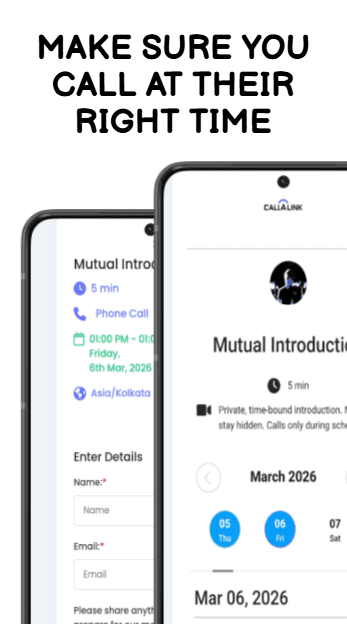
STEP 4: Calls outside the schedule are auto-blocked and flagged in red
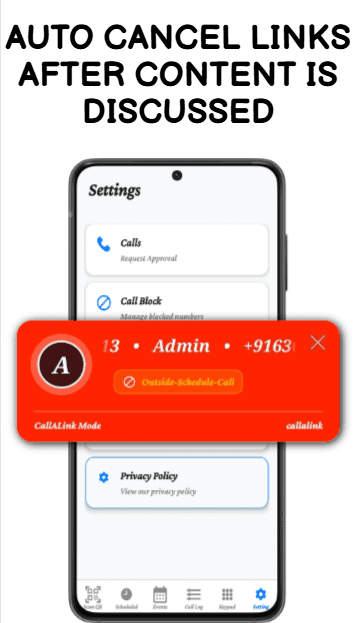
If they try to call outside your approved hours, the call is automatically blocked. It appears in your dashboard marked in red – you see the attempt, but you are never disturbed.
Red in your dashboard = auto-blocked call attempt outside your schedule. You see it. You are never interrupted. You stay in control.
How This Looks in Your Email Signature
The change is simple. The impact is immediate.
BEFORE (risky):
Rahul Sharma | Freelance Consultant
rahul@email.com
+91 98765 43210
→ This number goes everywhere this email goes.
AFTER (protected):
Rahul Sharma | Freelance Consultant
rahul@email.com
callalink.com/rahul
→ Private. Scheduled. Fully controlled.
Why CallALink Is Different – Feature Comparison
Here is what changes when you receive calls without sharing your phone number using CallaLink.
| Feature | Sharing Your Number | CallALink – Private Call Link |
| Phone number exposed | Yes – permanently | Never revealed |
| Caller can contact you anytime | Yes — no control | Only within approved schedule |
| Approval before call connects | None | Yes – caller states purpose |
| Block caller without drama | Awkward – must block number | One tap – no confrontation |
| Out-of-schedule calls | Reach you day or night | Auto-blocked, logged in red |
| Call quality | Standard GSM | Standard GSM – not VOIP |
| Disable access instantly | Cannot un-share a number | Deactivate link in one tap |
| Different rules per contact | Not possible | Yes – group based scheduling |
Phone Number Privacy for Professionals: Who Benefits Most
Freelancers and Consultants
You email dozens of clients, platforms, and collaborators. Your number spreads fast. A private call link keeps every client relationship reachable – and your personal number invisible. When a project ends, deactivate the link. That client can no longer reach you. Zero friction. CallaLink is the simplest way to receive calls without sharing your phone number with any client.
Sales and Business Development
You send hundreds of outreach emails. Each one currently broadcasts your mobile number. With CallaLink, prospects click your link to schedule a call during your approved hours. Outside those hours, auto-blocked. Your pipeline stays open. Your evenings stay yours.
Recruiters and HR Teams
You share your contact with hundreds of candidates. Some call repeatedly after rejection. CallaLink means rejected candidates lose access the moment you deactivate their approval – without you changing your number or having a difficult conversation.
Founders, Journalists, and Public Communicators
Anyone whose email reaches a large audience faces this problem at scale. A private call link in your email or press kit lets anyone reach you on your terms – scheduled, approved, and fully private.
Receive Calls Without Sharing Your Phone Number – 10 Minute Setup
- Download CallaLink on Android or iOS.
- Create your call link – name it after your email or your name.
- Enable approval – first calling in your dashboard settings.
- Set your calling schedule – the days and hours you are available.
- Remove your phone number from your email signature. Replace it with your CallaLink link.
- Send your contacts a brief update: “Use this link to call me going forward – it is the best way to reach me.”
This is the simplest and most effective way to protect your phone number online as a professional. You remain fully reachable. You gain full control. Your real number becomes private infrastructure – invisible to everyone except you.
Frequently Asked Questions
Can someone call me without knowing my phone number?
Yes. With CallaLink, callers use your private call link to connect to your mobile. Your real phone number is never displayed – before, during, or after the call. The call itself connects via a standard GSM line, so quality is identical to a regular mobile call. This is the simplest way to receive calls without sharing your phone number with anyone.
How do I hide my phone number from clients?
The most effective method is replacing your phone number with a CallaLink private call link in your email signature, proposals, and professional profiles. Clients click the link to call you. Your actual mobile number is never shared at any point.
How do I receive business calls privately?
Download CallaLink, create a link named after your professional identity, enable the approval-first setting, and set your calling schedule. Replace your phone number in all professional contexts with this link. Callers can only reach you when you have approved them and during the hours you have set.
What is a private call link?
A private call link is a unique URL – for example, callalink.com/yourname – that lets anyone call you on your real mobile phone without your number being revealed. You control who can call, when they can call, and you can deactivate the link at any time. It is the modern alternative to sharing a phone number. It is the simplest way to receive calls without sharing your phone number across any platform.
What happens when someone calls outside my set hours?
The call is automatically blocked by CallaLink. Instead of the call connecting, you will see a red caller popup indicating that the call was blocked. The popup shows the caller’s number and the reason for the block – for example, “Outside schedule call“. This allows you to stay informed without being interrupted. If you choose to follow up, that decision is entirely yours.
Read next: The Ultimate Guide to Phone Number Privacy – protecting your number across every context in daily life.
→ callalink.com/blog/phone-privacy-guide
Stop Sharing Your Number. Start Using CallALink.
Replace your phone number with a private call link today.
Reachable. Private. Fully in control. Download on Android and iOS.